iOS · Available Now

Build it. Run it. Track it.

Stack drills into routines. Routines into programs. Or just run a single drill — drop in at any layer, and Divot keeps the rest out of your way.

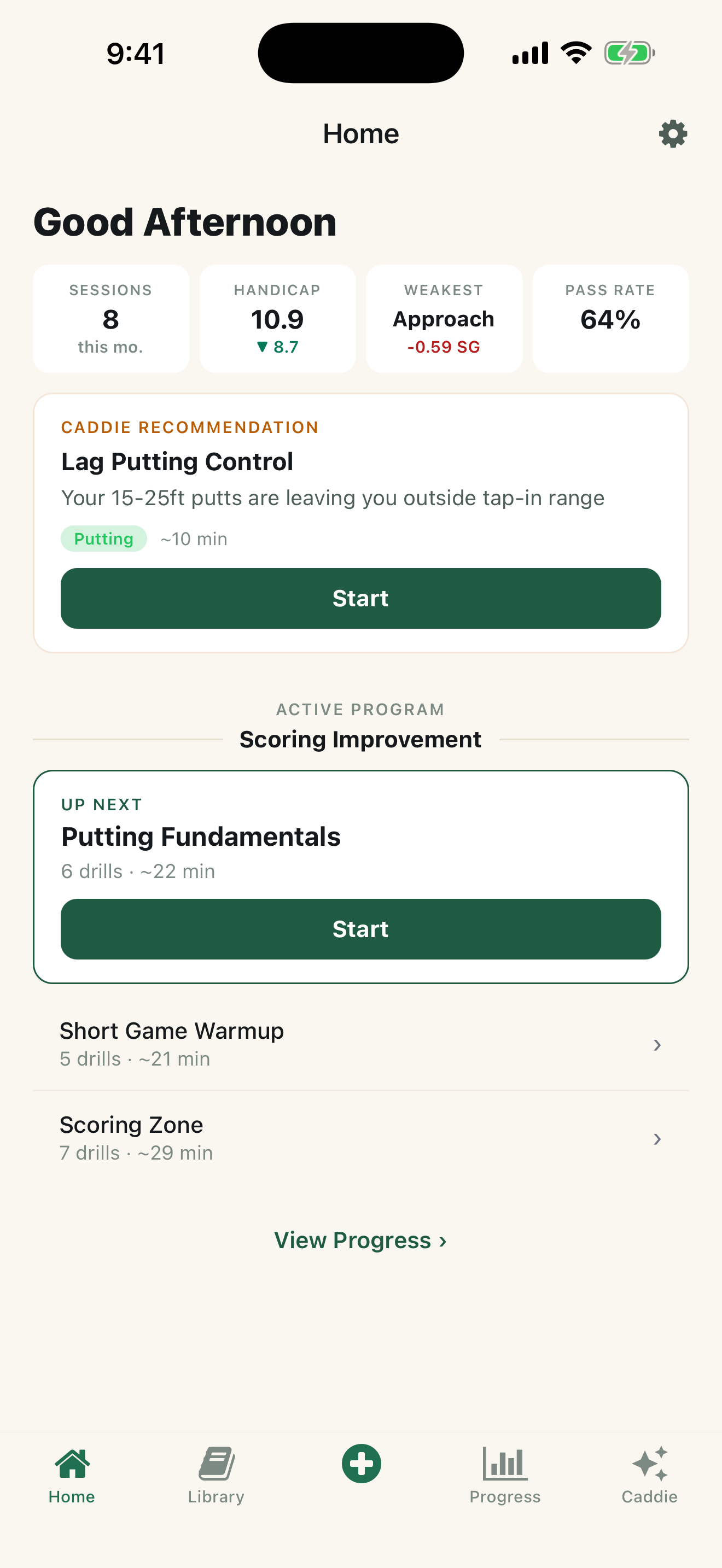
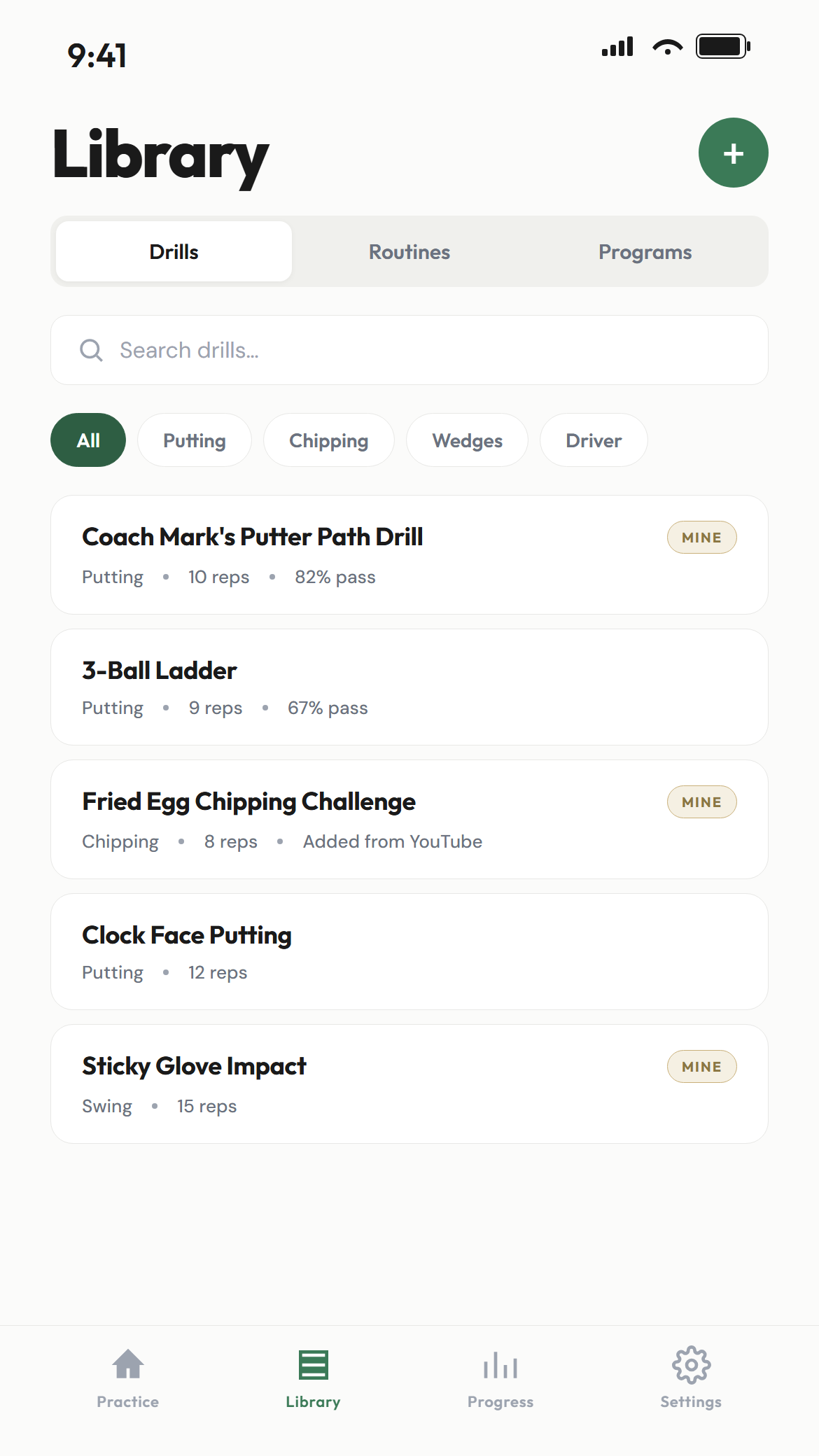
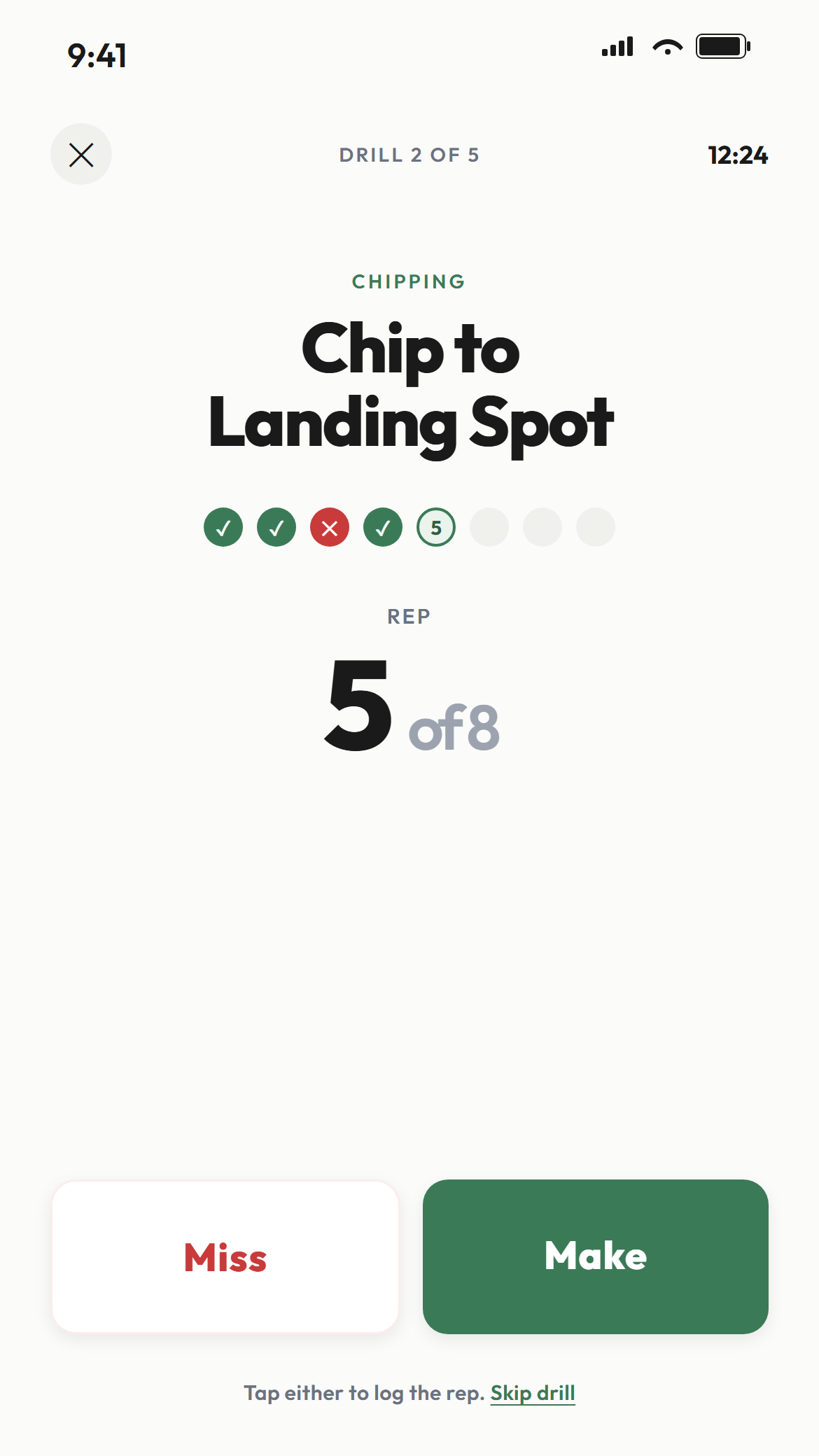
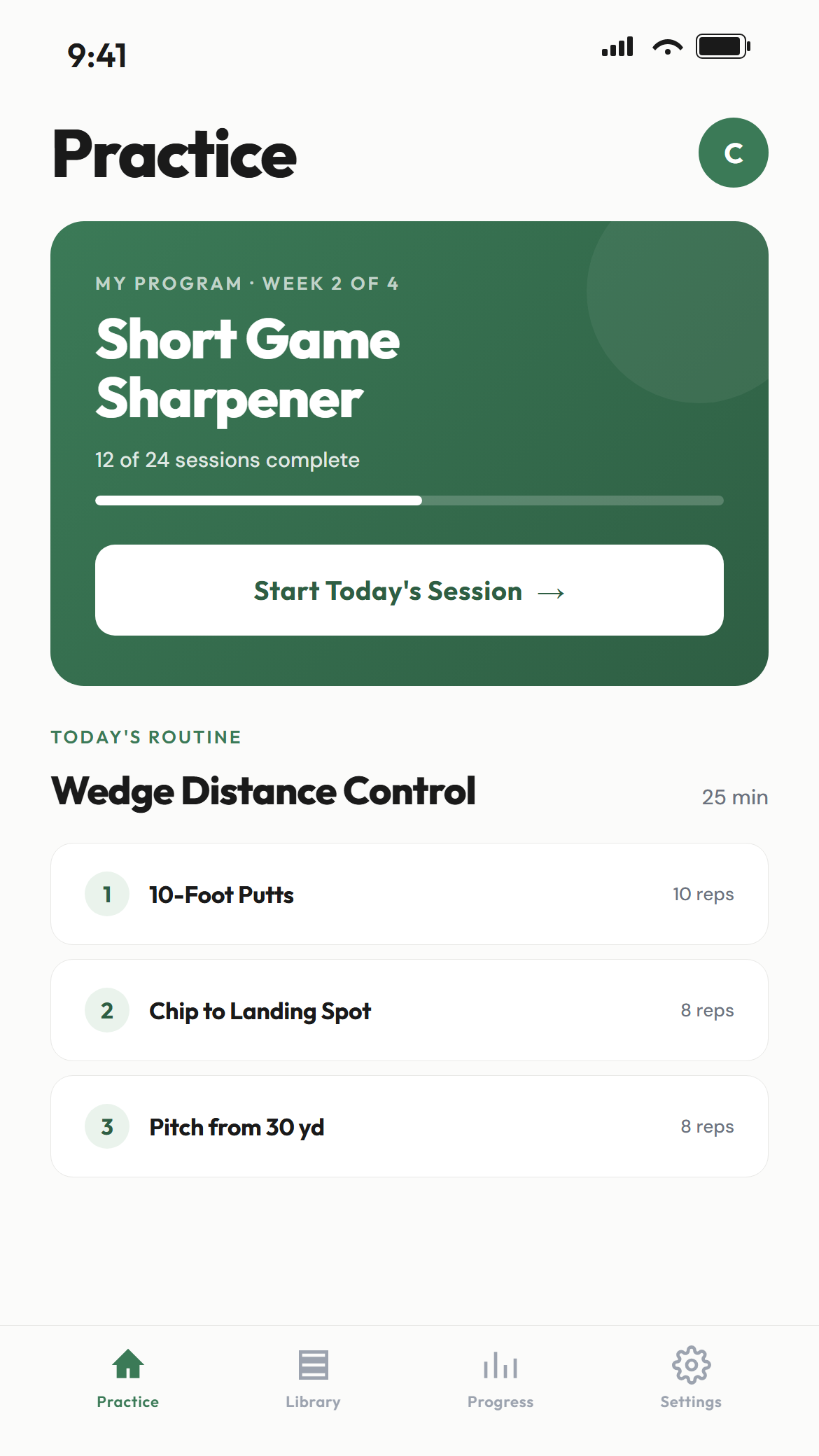
Divot home screen — today's session, Caddie recommendation, active program Divot library — drills filtered by category Divot active session — Make and Miss buttons, rep counter Divot Practice tab — pass rates, trends, practice mix Divot AI Caddie — asking about putting improvement, getting data-backed advice
The problem

Most range sessions: ball, ball, ball,
no plan.

A bucket of balls is not a practice session. Drills scattered across YouTube, your coach's notes, and a half-finished spreadsheet — useless when you're standing on the mat.

AI-powered

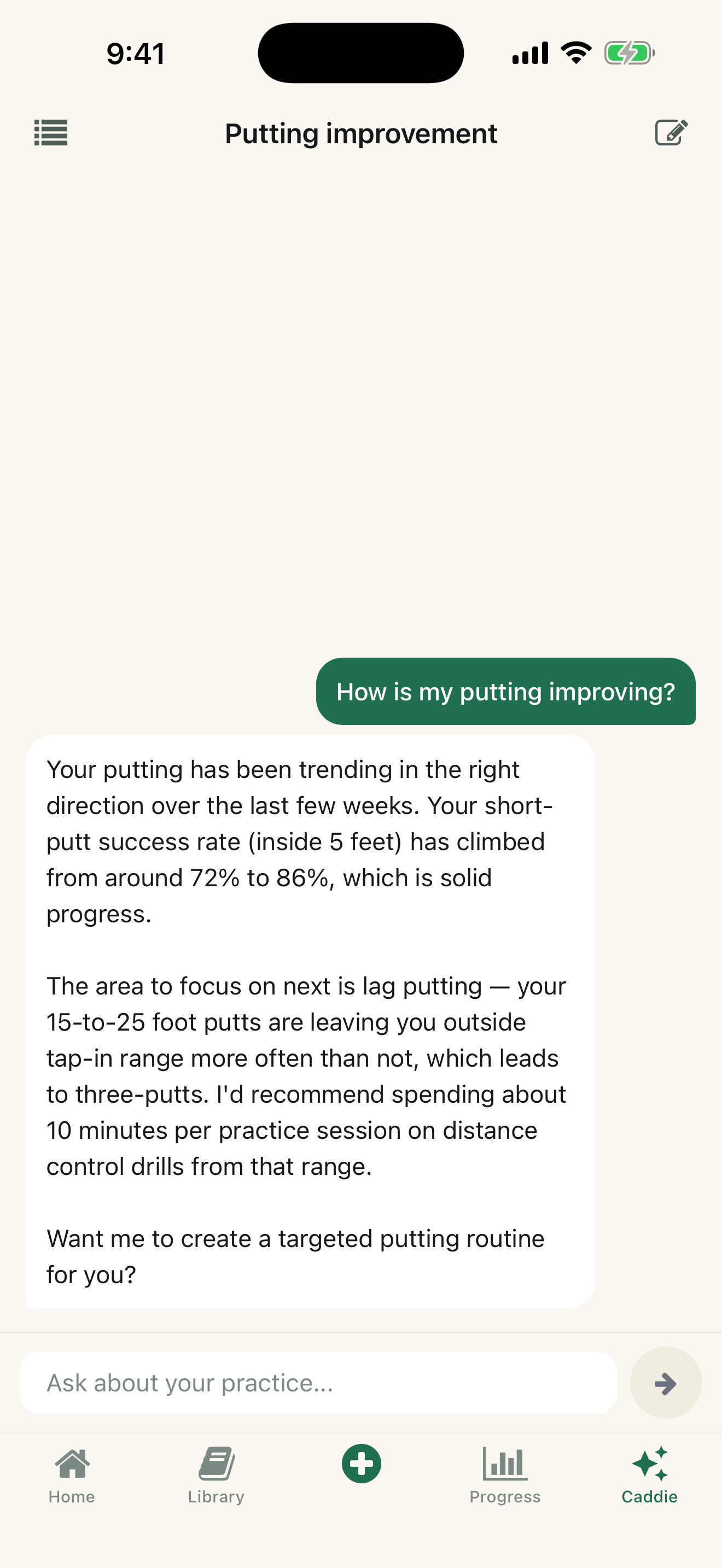
Ask what to practice. It builds the routine.

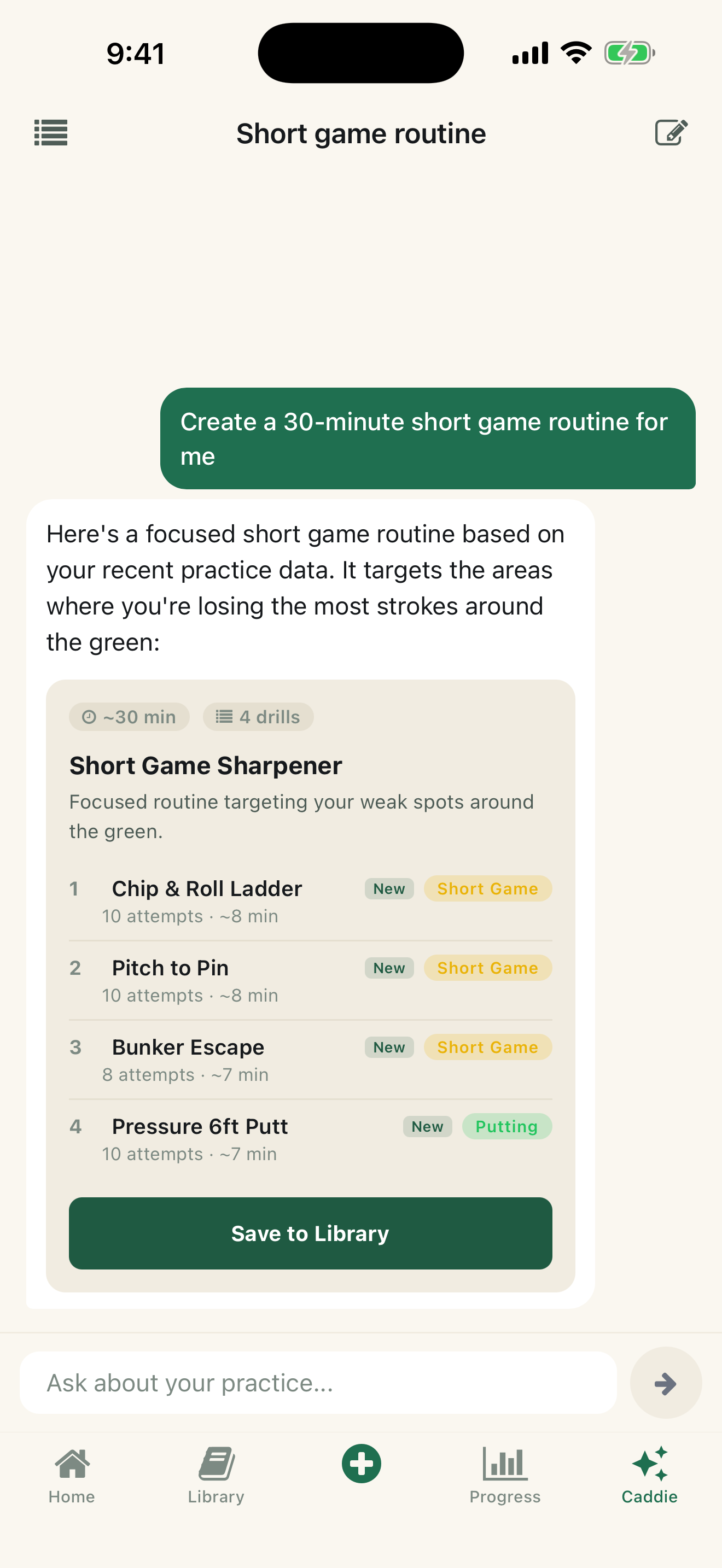
The Caddie knows your practice history, pass rates, and weak spots. Ask it anything about your game — it answers with data-backed advice and creates custom drills and routines on the spot.

Ask
Divot AI Caddie chat — asking about putting improvement, getting data-backed advice
Ask about your game. Get answers from your data.
creates
Build
Divot AI Caddie auto-creating a short game routine with custom drills, ready to save
Custom drills and routines, built for you.
How it works

Build. Run. Track.

Step 1 · Build

Drills, routines, programs — your way.

Drop in at any layer. Run a single drill. Stack drills into a 25-minute routine. Schedule routines into a 4-week program. Start with what's preloaded, or build your own from scratch.

Divot library — drills filtered by category
Step 2 · Run

Tap once per rep. Keep your rhythm.

Hit the shot. Tap Make or Miss. Move on. No menus, no scrolling, no typing — the app stays out of the way so the practice doesn't break.

Or log reps straight from your Apple Watch.

Divot active session — Make and Miss buttons, rep counter
Step 3 · Track

See what's actually working.

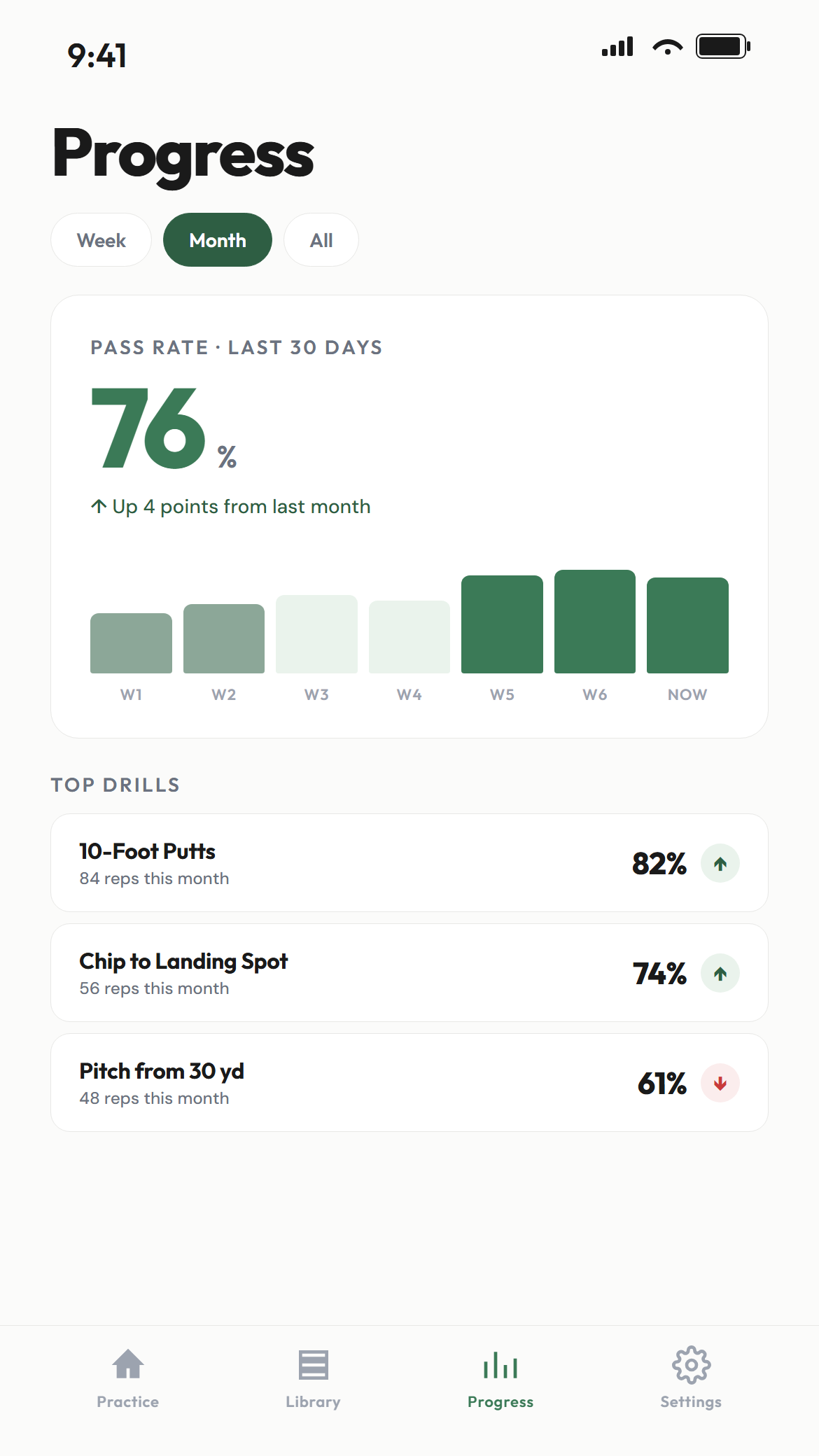
Pass rates by skill. Practice mix over time. Where your time is going. So when something's off on the course, you know which drill to come back to.

Divot Practice tab — pass rates, trends, practice mix
Divot library — drills filtered by category, with custom and preloaded tags Divot active session — drill name, rep counter, large Make and Miss buttons Divot Practice tab — pass rates by skill, trend chart, practice mix
Close the loop

See the work pay off on the scorecard.

Log your scores, strokes gained, and handicap right alongside your practice. Watch your range work show up where it matters — in your scoring.

Range
Divot Practice tab — pass rates by skill, trend chart
Pass rates, sessions, what you've practiced.
informs
Course
Divot Performance tab — strokes gained, weakest area, scoring trends, handicap
Strokes gained, recent rounds, handicap.
The Backstory

Why I built Divot

I'm Chris — mid-handicap, Marine vet, solo iOS developer. I've been playing about five years and trying, like all of us, to get better with the practice time I had.

The issue: drills and routines from everywhere — coach, YouTube, blogs. I tracked them in a spreadsheet. Fine at my desk, useless on the range. Between shots I'd open my phone, scroll around looking for what I was supposed to be doing, lose my place, and end up just hitting balls without a plan.

The practice apps I tried wouldn't let me bring my own drills. Some were too complicated, some were too expensive, none of them got out of my way while I practiced.

So I built what I wanted — a simplified but customizable practice app that lets me log shots without distracting me from what actually matters: the practice itself.

— Chris

Start your first session.

7-day free trial. Then $9.99/mo. 50+ drills, 15+ routines, and 10 programs preloaded. Build your own from scratch.

Download on the App Store